
The race classification filters allow you to restrict races to very specific race types.
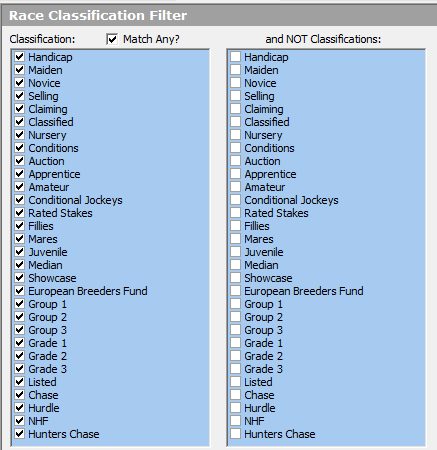
Race Classifications
You can filter the races according to Classifications. You can select one, two or many Classifications.
Use the Match Any tickbox above the Classification list to decide whether to Match Any of the classifications you select or untick the Match Any tickbox to only search races that match all the Classification you choose.
Remember
- Most races will match more than one classification i.e. a Maiden Handicap Hurdle is three classifications, Maiden, Handicap and Hurdle.
Unticking just one classification does not mean that this classification will be ignored, if another classification matches a race that includes the unticked classification that race will still be analysed, here is an example to explain this in more detail
- If you unticked Handicaps but still have ticked Amateur races and Match Any selection then any Amateur Handicap races will still be matched because a match on Amateur was found and the Match Any rule kicks in.
If all Classifications are ticked, then all races will pass the Classifications filter.
You can quickly select or de-select all Classifications by right clicking on the list of Classifications and making your choice from the resulting pop-up menu.
and NOT Classifications
You can also ignore race classifications by selection one or more of them from the NOT Classifications list.
i.e. To ignore Group races just tick Group 1, Group 2 and Group 3 and no group races will be in your results.