
There is a new tab in the system builder called Sectionals*, which in turn contains five more tabs, here is a screenshot
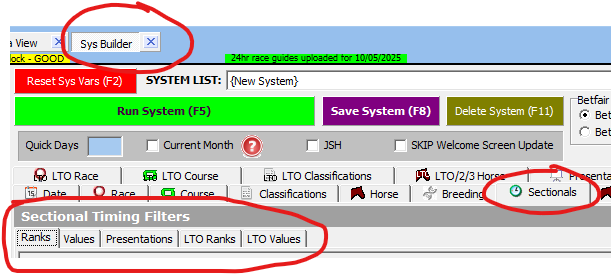
(Click image for larger version)
We will run through the Values tab in more detail.
Values
The values tab allows you to query the underlying values of any piece of sectional data for many fields.
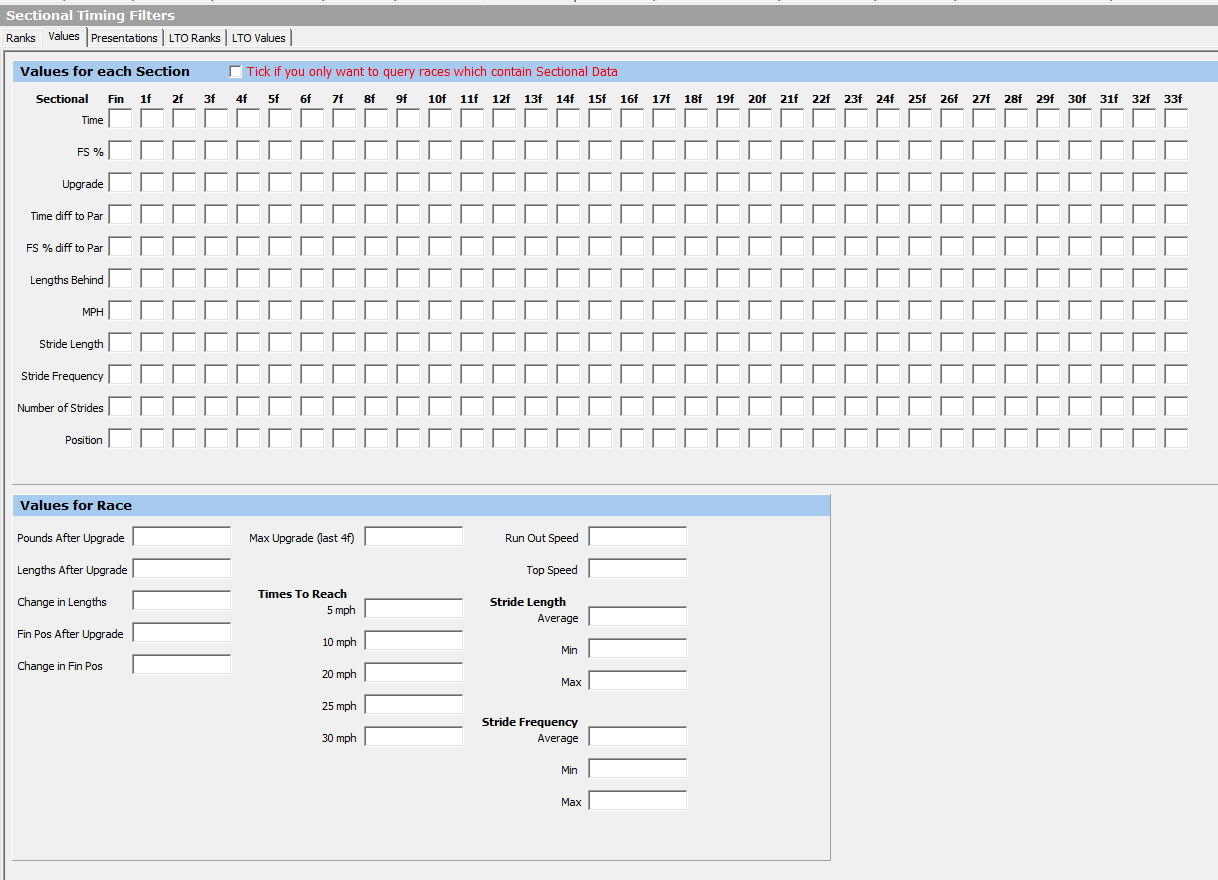
(Click image for larger version)
What are all the fields?
We have created an excel document explaining all the data fields you can see in Proform, plus how far back the historical sectional data goes and the data tolerances we used to block obvious data errors coming into our database, you can download this on the following link:-
DOWNLOAD the SECTIONAL DATA GLOSSARY
Entering Data
When you click into any field it will expand so you can enter a query for that field, like this
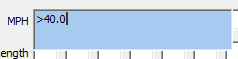
You can press tab to move to the next field or press ESC to exit the field so that the size retruns to a small white box.
What is the tick box for?
The red tick box above the values, see here

lets you restrict queries in the database to only races where sectional data exists, this will speed up the query a little.
NOTE:
Querying values will not produce qualifiers because the data is not avilable until after the race is run.
This section allows you to research and profile the data.
*requires a subscription to TPD for the raw data. If you wish to subscribe then drop us an email at proformracing@gmail.com