
The non-runner tool allows you to manually or automatically remove non-runners and make going changes as they happen.
Previously this feature was a separate application but in this software release we have now re-integrated this tool back into the software.
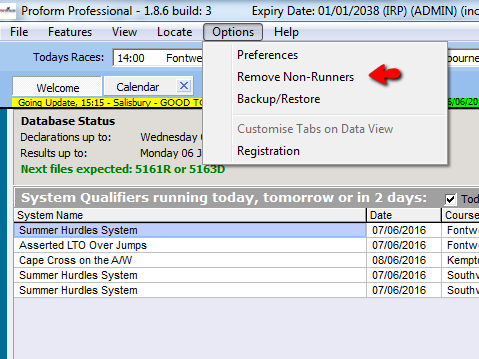
You can access the non-runner tool from the options menu
When the tool starts it looks like this
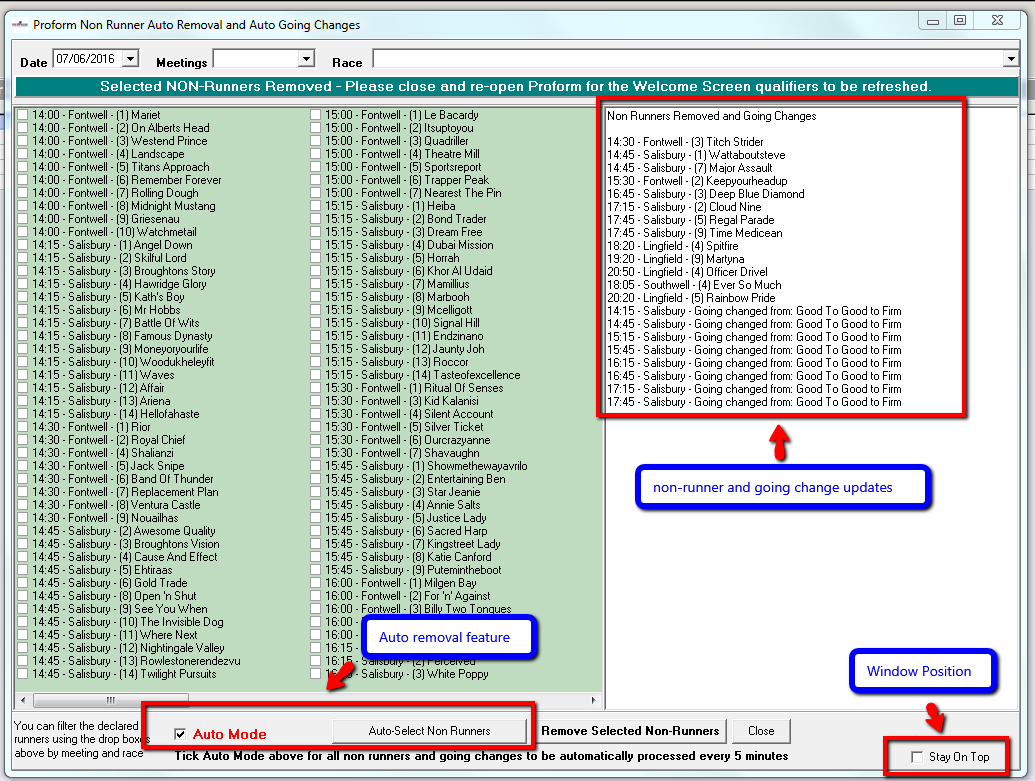
To manually remove a horse(s), select the date, meeting and race from the drop down menu, then tick the check box next to the horses name then select “Remove Selected Non-Runners” button.
You can set up the non-runner tool to auto update every 5 minutes via the “Auto Mode” check box. Selection this box will remove non-runners and change the going automatically.
If you don’t want the tool to manage going updates and non-runners for you, you can close the non-runner tool or untick the auto box and it will then only remove runners when the “Auto Mode” box is checked.
You can change the behaviour of the window by selecting the “Stay on Top” checkmark in the bottom right corner.